In this article
Retailers and distributors expect electronic data interchange (EDI) to flow straight into your ERP workflows. When orders, acknowledgments, shipments, and invoices arrive as EDI files, mapping that data into Macola is what keeps operations running without backlogs or manual entry. This is where a managed integration partner like BOLD VAN can make the difference, ensuring that retail EDI documents are translated accurately and mapped directly into your ERP process—without costly rework or downtime.
What is Macola EDI integration?
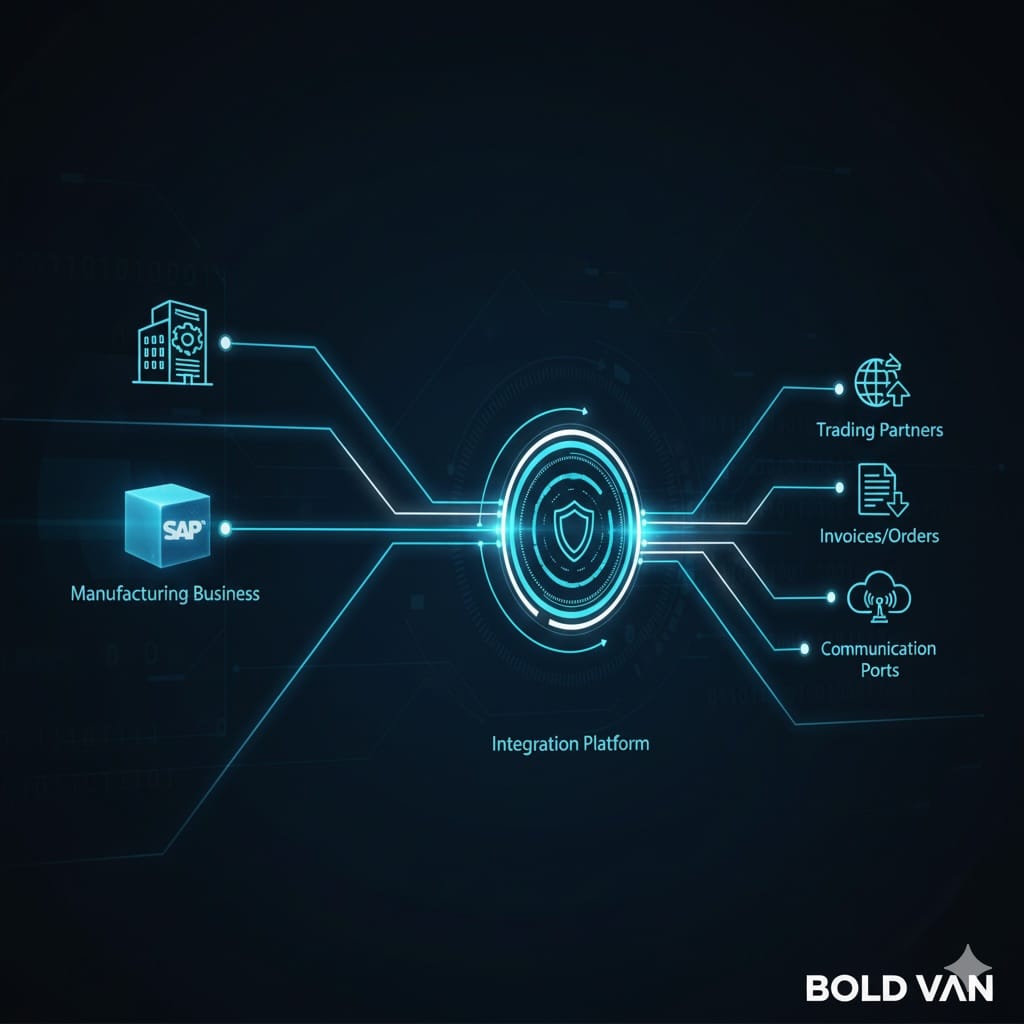
Macola EDI integration is the process by which EDI transactions (such as retail 850 purchase orders, 855 acknowledgments, 856 shipment notices, and 810 invoices) are automatically mapped and transferred into Macola’s ERP modules. The core objective is to preserve data accuracy and business workflow continuity, letting your ERP remain the system of record while keeping partners happy and compliant. With BOLD VAN, these mappings are managed, maintained, and tested so you do not have to rely on manual keying or brittle custom scripts.
This approach supports straightforward connections to other critical business systems through EDI-to-API or API-to-EDI bridges, spanning ERP, WMS, TMS, and e-commerce platforms as your business grows or retail compliance rules evolve.
How retail EDI maps into Macola ERP
Every retail EDI workflow starts with data mapping. EDI documents such as the 850 purchase order must translate to Macola’s sales order format, preserving every field necessary for order fulfillment, inventory allocation, and billing. The same is true for outbound documents—your shipment notice or invoice must be formatted for each retailer's requirements.
| EDI Transaction | Macola ERP Object | Key Mapping Objective |
|---|---|---|
| 850 Purchase Order | Sales Order / Order Entry | Accurately import items, ship-to info, quantities, prices, and PO references |
| 855 PO Acknowledgment | Outbound Acknowledgment | Align fulfillment promise (accept/change/reject) for each line and at header |
| 856 Advance Ship Notice | Shipment Confirmation / ASN Module | Transfer shipped quantities, packaging, and tracking details directly |
| 810 Invoice | Accounts Receivable / Invoicing | Preserve PO number, item codes, and all pricing components for audit-ready billings |
BOLD VAN manages mapping changes (with no added fees), so even as retailer specs change, your ERP and compliance flows stay in sync without IT overwork.
Never assume every retailer or distributor expects the same data format or codes—always map EDI fields directly to what each partner’s guide specifies, version by version.
Step-by-step: Mapping process overview
- Receive EDI document: File arrives from VAN, AS2, SFTP, or API.
- Pre-validate against trading partner's guide: Confirm field presence, code sets, data rules.
- Transform to Macola format: Map EDI segments to Macola fields, handling code conversions and data corrections as needed.
- Push into ERP workflow: Create, update, or trigger relevant orders, shipments, or invoices automatically.
- Return outbound documents as needed: Send 855, 856, 810, or 997 back--again mapped to partner guides.
- Monitor and resolve exceptions: Alert users to any validation or mapping errors, with tools for rapid correction.
This workflow scales for high-volume environments and can be extended to additional systems with API integration. Teams relying on BOLD VAN avoid custom coding for every new partner and benefit from a US-based support team that typically turns new maps around in under two weeks—without extra cost.
Common pitfalls and risks
- Assuming one-size-fits-all mapping: Retailers frequently change requirements, and fields that work for one do not always work for the next. Always check the published implementation guide for each trading partner before signing off on a map.
- Poor master data alignment: If ship-to addresses, item codes, or customer IDs do not match between the EDI feed and Macola, orders may post incorrectly or not at all. Data cleanup is foundational—not optional.
- Siloed exception handling: Batch jobs or integration engines that do not provide immediate error notifications allow mapping issues to accumulate, causing missed deadlines or chargebacks.
- Underestimating migration risks: Moving from a legacy on-premise EDI translator to a modern cloud-managed service brings gains, but only if business continuity and data access during the cutover are planned from day one.
- Letting mapping drift out of compliance: Retailer requirements evolve. Relying on unmaintained in-house maps leads to rejected orders and invoices over time. Managed mapping from BOLD VAN is kept up-to-date as part of the service.
Best practices for clean EDI-to-ERP mapping
- Map business processes first: Outline what happens to each document before you think about data fields.
- Use real-world samples for testing: Always test mappings with both normal and edge-case orders (partial shipments, substitutions, address changes).
- Keep translation and validation logic separate: This makes maintenance easier and shortens the time to update maps when something changes.
- Centralize exception handling: Use platforms like the BOLD Manager Portal for fast error review and correction, improving daily speed and reducing missed transactions.
- Leverage managed cloud EDI when possible: BOLD VAN removes ongoing map maintenance burden, mitigates key-person risk, and provides business continuity even as formats or protocols evolve. This is crucial as you scale and add more retail partners or ERP extensions.
If your business also connects to e-commerce (Shopify, others), WMS, or TMS, a unified mapping approach saves significant manual effort and prevents snowballing integration complexity. Learn more about these hybrid approaches in this guide on hybrid EDI/API integration.
Frequently asked questions
What EDI documents usually connect Macola to retail partners?
The most common documents are 850 Purchase Orders, 855 Purchase Order Acknowledgments, 856 Advance Ship Notices, and 810 Invoices. Some partners also require 997 acknowledgments or additional documents, so the final list depends on the partner's implementation guide.
Can Macola EDI integration work with e-commerce and API systems too?
Yes. The same mapping approach can connect Macola with e-commerce, API, ERP, WMS, and TMS workflows. The important part is defining how data should move between systems and confirming the field and format rules for each platform.
How do I avoid mapping errors in a Macola EDI project?
Use the partner's implementation guide, clean up master data before testing, and validate transactions before they post into the ERP. It also helps to test real-world scenarios such as partial shipments, substitutions, and exceptions, not just perfect sample orders.
Should EDI mapping rules be maintained in-house?
Not always. Many SMB manufacturers and distributors prefer a managed cloud EDI service because it reduces map maintenance work, lowers key-person risk, and keeps support centralized when partners change requirements.
If your team is ready to move Macola retail orders securely into existing ERP workflows, BOLD VAN offers US-based managed integration, full API connectivity, and rapid, risk-free mapping updates. To explore tailored options, visit our homepage or check our deep dive on EDI implementation best practices.